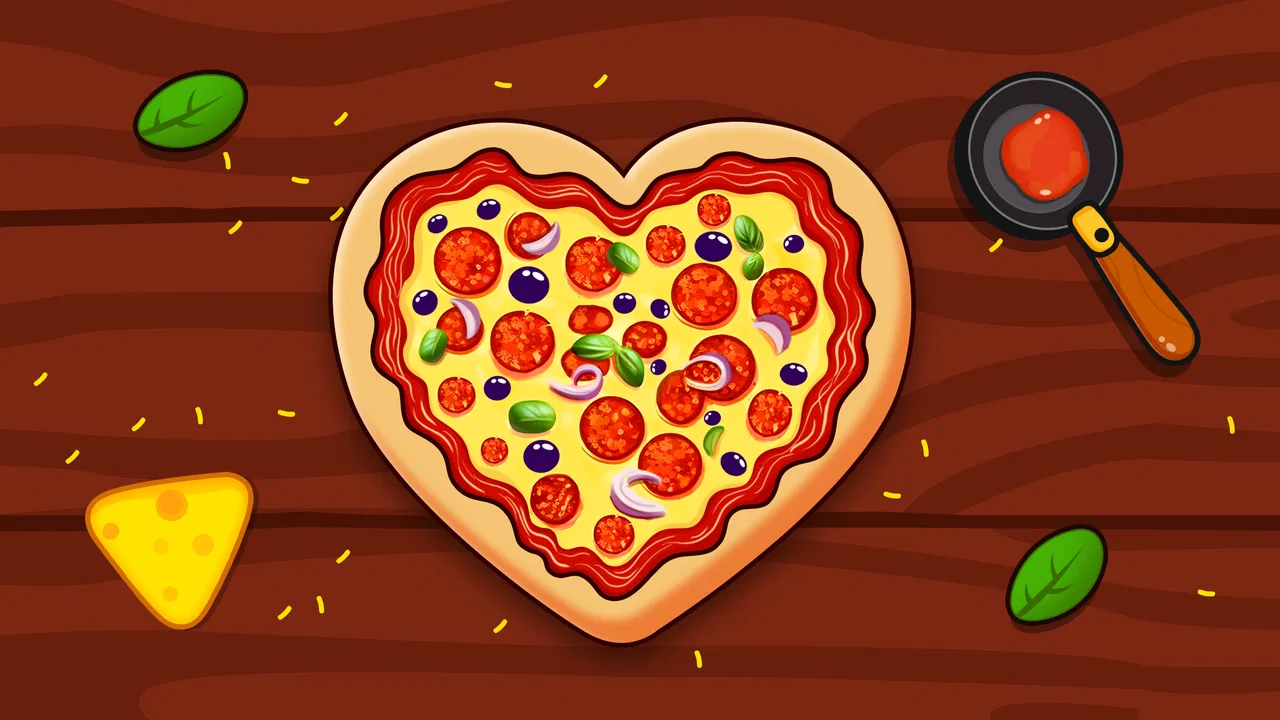
Pizza Maker Kids Cooking Games
- 4.6
- Rating
- 5.00M
- Installs
- Free
- Price

 Analysis by App-foxy
I found Pizza Maker Kids Cooking Games easy to understand from the first tap: it is a role-playing game built around preparing pizzas, with the simple appeal of rolling dough, choosing toppings, and putting the result in the oven. That sounds basic, but the appeal is in the small sequence of actions. Instead of asking you to learn a complicated character system or a long story, it gives you a familiar kitchen task and turns it into a light game for short sessions.
My first impression was that this is best viewed as a relaxed cooking activity rather than a deep restaurant-management simulation. The game comes from Piggy Panda Inc and is free to download, which makes it approachable for families who want something straightforward to try. It is listed for Everyone, so the tone and basic concept are suitable for a broad audience, especially younger players who enjoy pretend cooking and colorful food-based activities.
The important question is not whether it can replace a full cooking game. It cannot, and it does not need to. The better question is whether it offers a pleasant, uncomplicated way to spend a few minutes making virtual pizzas. In my experience, that is where it makes the most sense. It works as a casual activity, a child-friendly introduction to game controls, and a gentle alternative to faster, more demanding mobile games.
You May Also Like

 Blood Strike: 2.5 Anniversary
Blood Strike’s Loadouts Turn Every Drop Into a Tactical Gamble
A close look at Blood Strike’s custom loadouts: how fast access to signature weapons reshapes its battle royale rhythm, rewards preparation, and narrows the gap between fights.

 Pandora - Music & Podcasts
Pandora’s Music Is Easy to Start, but Harder to Recover
Pandora’s strength is its low-effort path from a seed to a station. Its weak spot is how much confidence it asks you to place in connection, setup, and quiet recovery.

 8 Ball Pool
 Is Built on Rivalries, Rematches, and Routine
A close look at the rivalries, rematches, shared routines, and unanswered safety questions that turn a quick pool match into a persistent mobile community.

 Samsung Music
’s Quiet Strength Is Playing What You Already Own
Its reach comes less from spectacle than from dependable access to a personal library. That simplicity is both the app’s strongest retention engine and its ceiling.

 AccuWeather: Weather Radar
AccuWeather Review: A Quick, Clear Forecast for Everyday Decisions
For everyday plans, the best forecast is the one you can understand quickly. AccuWeather makes rain timing, radar, and local conditions easy to act on, with a few trade-offs.

 Hill Climb Racing
Why Hill Climb Racing Still Turns Crashes Into One More Run
A tiny car, a bumpy hill and one more upgrade: Hill Climb Racing keeps resurfacing because its simple chaos makes every near-miss feel personal.
More From Our News Desk



What the pizza-making loop feels like
The central routine is deliberately familiar. I start with the dough, work through the preparation, add toppings, and finish by baking the pizza. That order gives the game a clear rhythm, so a child does not need to understand a complicated menu before getting started. Each stage feels connected to the next, which is more satisfying than a game that simply presents a finished result after one tap.
That simple structure is also the reason the game is easy to share with a younger player. An adult can explain the activity in ordinary language: make the base, decorate it, cook it, and see how it turns out. There is no need to translate a large set of rules or explain a long-term strategy. For a child using a phone or tablet with supervision, this kind of direct interaction can be more inviting than a conventional role-playing game with dense menus.
I would not install it expecting character development, tactical battles, or a large adventure. Its role-playing label is best understood through the act of pretending to be a pizza maker. The game gives the player a small role and a practical task, rather than building an elaborate fictional world. That distinction matters when deciding whether it matches your expectations.
One useful way to play is to treat each pizza as a short creative exercise instead of rushing to finish. Try keeping the toppings balanced, make a deliberately unusual combination, or let a child explain why a particular topping belongs on the pizza. This turns a short game loop into a conversation and gives the activity more value than simply tapping through it as quickly as possible.
Speed expectations during ordinary play
The game’s concept suggests a quick start, and that is one of its strengths. There is no reason for a pizza-making activity aimed at children to feel like a long setup process. I can imagine opening it during a brief break, handing the device to a child while waiting for food, or using it as a calm activity before bedtime. Its straightforward design is better suited to these moments than to a long uninterrupted gaming session.
Perceived speed here is less about demanding graphics and more about how quickly the player understands what to do. The sequence of preparing, topping, and baking gives the session a natural pace. A child who already understands drag, tap, or selection controls should be able to follow the idea without much explanation. That makes the first few minutes less frustrating than in many role-playing games that begin with tutorials, dialogue, and several layers of equipment or objectives.
There is a trade-off, though. A simple loop can feel repetitive once the novelty of making the first few pizzas fades. Players who want constant new challenges may interpret the relaxed pace as a lack of depth. I see this less as a performance problem and more as a design limit: the game is intentionally accessible, so it does not appear to push the player toward the same kind of rapid decision-making found in competitive cooking titles.
For the smoothest experience, I would let the child complete one pizza before deciding whether the game holds their attention. A store description can make a cooking game sound endlessly varied, but the real test is whether the preparation sequence itself remains enjoyable after the first discovery. If your child likes pretend play, decorating food, and repeating familiar routines, the pace should feel comfortable. If they need frequent goals and surprises, the experience may feel slow.
What happens during heavier use
The more demanding moment is not likely to be a single pizza. It is extended play, especially when a child repeatedly starts new creations and keeps the game open for a long period. In that situation, the main pressure is usually attention rather than complexity: the player may begin to look for more recipes, more dramatic outcomes, or a broader sense of progression.
I would approach longer sessions with realistic expectations. This is a small, focused cooking game, not a title I would choose for an entire afternoon of uninterrupted play. Its best use is in short bursts, where the tactile steps remain fresh. After several rounds, an adult may need to add variety by suggesting a theme, such as making a pizza for a fictional character or designing one with a particular color pattern.
That kind of guided play is especially useful for younger children. Instead of expecting the game to provide every layer of entertainment, I can use it as a starting point for imaginative play. The child can name the pizza, describe the customer, or decide whether the oven result is a success. This makes the limited core loop feel more flexible without pretending that the app contains a full restaurant simulation.
Heavy use also raises the practical question of in-app purchases. The game is free, but individual purchases range from $1.99 to $59.99. I would therefore check the purchase settings before giving the device to a child and avoid assuming that “free” means every part of the experience is cost-free. The broad range makes parental supervision particularly sensible, even though the content rating is Everyone. A child can enjoy the basic pizza activity, while an adult should remain responsible for purchase decisions.
Reliability and recovering from interruptions
For a game aimed at casual family use, reliability matters because it may be opened in imperfect circumstances: during a short wait, while sharing a device, or when a child is moving between activities. I prefer apps that make it easy to return to the main activity without requiring a long explanation every time. The compact pizza-making concept is naturally suited to this kind of use because the player can understand the goal again quickly.
Still, I would not treat any mobile game as a substitute for careful device habits. If the app is interrupted by a call, a notification, or a switch to another activity, I would expect the player to be prepared to repeat part of the current pizza if the session does not resume exactly where it stopped. That is not a criticism unique to this title; it is a sensible precaution whenever a game involves a sequence of actions that may not be saved at every step.
My practical advice is to finish the current pizza before closing the game when possible. For a child, that also creates a natural stopping point. Instead of taking the device away in the middle of topping the dough, an adult can say that the current pizza can be completed first. This makes the transition less abrupt and keeps the game’s short-session design working in its favor.
The current version is 3.1, so the app is not presented as an untouched first release. It launched on October 25, 2023, and its continued presence in the store makes it easier to regard as an established casual option rather than a one-day experiment. I would still keep the game updated through the normal app-store process, particularly on a shared family device, because current software is generally the sensible choice for stability and compatibility.
Device constraints and family setup
The minimum operating-system requirement is Android 8.0. That gives the game a reasonably broad starting point for Android users, but families with older phones or tablets should check the system version before planning around it. A child’s spare device can be perfectly adequate for simple games yet still fail to install an app if its software is below the required level.
I would also consider the physical device rather than focusing only on the operating system. Pizza preparation depends on seeing the dough, toppings, and baking steps clearly, so a larger tablet can be more comfortable for a young child than a small phone. A phone is more convenient for quick sessions, while a tablet may make shared play easier when an adult is helping or discussing the choices on screen.
Storage and battery are practical concerns for any free game, but I would avoid making assumptions about exact resource use. The concept is visually focused on a pizza kitchen rather than a large open world, so it is reasonable to approach it as a lighter casual experience than a high-end role-playing title. Even so, I would install it on the device where the child actually plays and judge the experience there, because older hardware can behave differently from newer phones.
For families, the most important setup step is purchase control. Since optional items can cost between $1.99 and $59.99 each, I would make sure the device requires adult approval for transactions. This is more important than the age rating when the player is a child. The Everyone label describes the content, not who should be allowed to spend money.
Who will enjoy it most
I think this game is a good fit for children who enjoy kitchen pretend play but are not ready for complicated management games. It can also suit adults looking for a gentle activity to share with a child, especially when the goal is not competition but making something together on screen. The clear food theme gives the player an immediate context, and the short preparation cycle makes it easy to stop without committing to a long campaign.
It may also work for a child who is learning basic touchscreen gestures. Moving ingredients, selecting toppings, and following a sequence can provide simple practice with cause and effect. I would not present it as an educational tool in a formal sense, but the activity does encourage attention to order and completion. The benefit comes from playing with the child and talking through the steps, not from leaving the app to teach independently.
On the other hand, I would skip it if you want a serious cooking challenge, a detailed restaurant economy, or a story-driven role-playing experience. Players who prefer timed orders, customer management, upgrades, and strategic planning may be happier with a dedicated cooking-management game. Those alternatives usually create pressure and progression, while this one is more comfortable and open-ended.
I would also look elsewhere for a game that remains compelling through long sessions without adult involvement. The pizza theme is inviting, but the focused loop may not offer enough variety for older children or experienced mobile players. In that case, a larger cooking game with more recipes, goals, and restaurant decisions would provide stronger long-term engagement, even if it were less immediately accessible.
A realistic everyday scenario
Imagine a child waiting at a restaurant while an adult finishes a conversation. I would open the game, let the child prepare one pizza, and use the steps as a quiet activity rather than handing over the phone with no boundaries. The child can choose toppings, explain the design, and finish the baking stage before putting the device away. That is a better match for the game than expecting it to occupy the entire wait.
At home, it could also work as a short transition between activities. After homework and before another task, one completed pizza gives the child a clear beginning and ending. I would set the expectation in advance: make one or two pizzas, then stop. Because the game’s action is easy to understand, the child can usually see what remains to be done, which is helpful when an adult needs to manage screen time.
A third use is shared play between siblings. One child can handle the dough while another chooses the topping theme, with an adult helping them take turns. This does require supervision because the game is not automatically a substitute for cooperation, but its simple structure gives siblings a concrete task to discuss. That social element is one of the more useful ways to get extra value from a limited game loop.
How it compares with usual alternatives
Compared with fast cooking games, this title feels less focused on pressure and speed. That makes it friendlier for a young beginner, but it also means an experienced player may miss the urgency of racing against a timer. Compared with restaurant simulators, it removes much of the business side: there is no reason to choose it if your favorite part of the genre is balancing money, staffing, upgrades, and customer satisfaction.
Compared with broader role-playing games, it is far easier to enter but much narrower in scope. There is no need to remember a large cast, understand combat statistics, or plan a character build. That simplicity is valuable when a child wants to play independently for a few minutes, yet it will feel shallow to someone looking for exploration and progression.
Its strongest alternative is probably not another game at all, but real kitchen participation. If a child is old enough and an adult is available, making a real pizza can offer sensory learning and shared time that a screen cannot provide. The app is most useful when real cooking is inconvenient, unsafe, or simply not practical at that moment. I see it as a playful stand-in, not a replacement for the real activity.
My performance verdict
After considering the way this game is designed, I see it as a focused, low-pressure choice rather than a demanding technical showcase. The short preparation loop should make it approachable on compatible Android devices, while the Android 8.0 requirement gives families a clear compatibility checkpoint. I would judge the final experience on the actual phone or tablet, especially if it is an older hand-me-down device, but the game’s modest concept is better suited to casual hardware than a large action title.
The main limitation is not a lack of ambition hidden behind a technical problem. It is that the experience deliberately stays close to one idea: making pizzas. That is exactly why a young child may enjoy it and exactly why an older player may move on quickly. The purchase range also means adults should configure spending controls before sharing the device, regardless of the Everyone rating.
The game has earned a 4.6 average from around 8.6 thousand ratings and has passed 5 million installs, which suggests that its simple approach has found a substantial audience. I would not use popularity as proof that it suits every family, but it does support the view that this is a recognizable casual option rather than an obscure experiment. Piggy Panda Inc has kept the presentation centered on a clear, approachable activity, and that focus is its biggest advantage.
My recommendation is straightforward: choose it if you want a free, child-friendly pizza-making game for brief, supervised sessions and your device runs Android 8.0 or newer. Try a different option if you need deep role-playing systems, sustained challenge, or a detailed restaurant simulation. For the right player, the best part is its immediate, low-stress kitchen routine; for the wrong player, that same routine will become repetitive. I would install it for a younger child, set purchase protections first, and use it as a small creative activity rather than expecting a complete cooking adventure.
FAQs for Pizza Maker Kids Cooking Games
01What is Pizza Maker Kids Cooking Games about?
Pizza Maker Kids Cooking Games is an engaging and educational app designed for children to explore the world of cooking through fun and interactive gameplay. Kids can create their own pizzas using a variety of ingredients, toppings, and tools, enhancing their creativity and learning basic cooking skills in a safe, virtual environment.
02Is Pizza Maker Kids Cooking Games safe for children?
Yes, Pizza Maker Kids Cooking Games is designed specifically for children with safety in mind. The app features an intuitive interface, age-appropriate content, and no in-app purchases or ads, ensuring a safe and enjoyable experience for young users. Parents can feel confident that their children are learning and playing in a secure digital space.
03What age group is Pizza Maker Kids Cooking Games suitable for?
Pizza Maker Kids Cooking Games is ideally suited for children aged 4 to 10. The app's simple controls and vibrant graphics make it easily accessible for young kids, while older children can enjoy the creative challenges and educational aspects. It provides a fun way to introduce kids to basic cooking concepts and foster their interest in food preparation.
04Does Pizza Maker Kids Cooking Games require an internet connection?
No, Pizza Maker Kids Cooking Games does not require an internet connection to play. Once downloaded, all features and activities are accessible offline, making it a perfect option for on-the-go entertainment without the need for Wi-Fi or mobile data. This ensures uninterrupted playtime regardless of connectivity.
05Can children learn real cooking skills from Pizza Maker Kids Cooking Games?
While Pizza Maker Kids Cooking Games provides a virtual cooking experience, it introduces children to basic concepts such as ingredient selection, food preparation, and following recipes. Though it doesn't replace hands-on cooking, the app can inspire an interest in cooking and help children gain a foundational understanding of culinary skills.
Pros
- Engaging gameplay for kids.
- Easy-to-use interface.
- Colorful graphics and sounds.
- Variety of pizza recipes.
- Encourages creativity.
Cons
- Contains ads during play.
- Limited free content.
- In-app purchases required.
- No multiplayer option.
- Requires internet connection.

Pizza Maker Kids Cooking Games
Gallery